
Before You Start
Before you begin the Oman eVisa application, make sure you have all required documents ready. Having everything prepared in advance prevents delays and reduces the chance of errors during submission.
What you need before applying:
- Valid passport with at least 6 months remaining validity
- Digital passport scan (bio page, clear and legible)
- Passport-sized photo (white background, JPEG format, 400×500 pixels minimum)
- Valid email address you check regularly
- Credit or debit card for the fee payment
- Travel itinerary details (flight numbers, accommodation address)
Browser and technical requirements: The eVisa portal works best on modern browsers – Chrome, Firefox, Safari, or Edge. Ensure JavaScript is enabled and disable any ad blockers that might interfere with the form submission. The portal is mobile-responsive, but a desktop or laptop computer makes document uploads easier.
Check the current Oman visa requirements to confirm which documents apply to your specific nationality and visa type before starting.
Step 1: Create an Account on the eVisa Portal
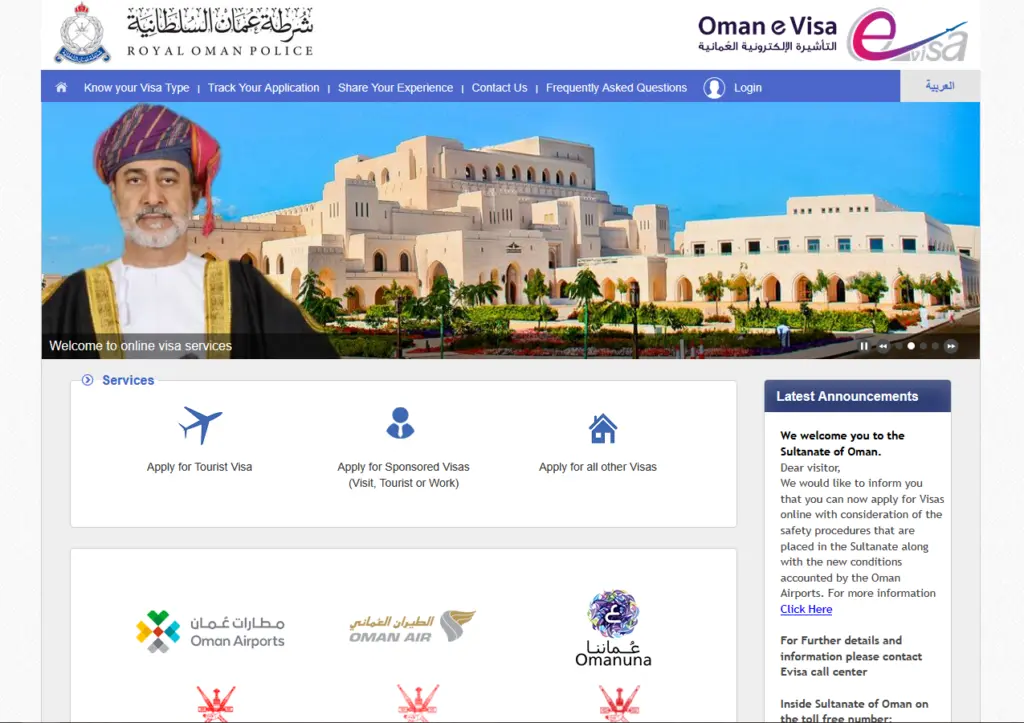
Visit evisa.gov.om / https://evisa.rop.gov.om and click the “Apply for Visa” or “Register” button on the homepage.
Account creation process:
- Enter your email address – this will be your login username
- Create a strong password (minimum 8 characters with letters and numbers)
- Verify your email address by clicking the confirmation link sent to your inbox
- Log in with your new credentials
Important tips:
- Use an email address you check frequently – all communication happens via email
- Do not use a work email that might block external messages
- Save your login credentials securely; you will need them to check your application status and processing time
- If you do not receive the verification email, check your spam/junk folder
Step 2: Fill the Application Form
Once logged in, select “New Application” and choose your visa type. The form is divided into several sections that must be completed accurately.
Personal Information section:
- Full name (exactly as shown in your passport, including middle names)
- Date of birth
- Gender
- Nationality
- Place of birth
- Passport number
- Passport expiry date
Travel Information section:
- Purpose of visit (tourism, business, transit)
- Planned entry date
- Planned exit date
- Accommodation address in Oman
- Flight details (if known)
Common mistakes to avoid:
- Spelling your name differently from your passport
- Entering the wrong passport number (double-check every digit)
- Selecting an entry date before your visa will be processed
- Providing an accommodation address that does not match your hotel booking
The different Oman visa types have slightly different form fields, so ensure you select the correct category before filling the details.
Step 3: Upload Documents
The document upload section requires clear, legible files in the correct format.
Required uploads:
| Document | Format | Max Size | Notes |
|---|---|---|---|
| Passport bio page | JPEG or PDF | 2MB | All text must be readable |
| Passport photo | JPEG | 2MB | White background, face only |
| Supporting docs | JPEG or PDF | 2MB each | Visa-type specific |
Tips for successful uploads:
- Scan your passport at 300 DPI for optimal clarity
- Ensure no fingers or objects cover any part of the passport page
- The photo should show your face centered with no shadows
- If your supporting documents are in a language other than English or Arabic, consider getting certified translations
- Compress large files if they exceed the 2MB limit (use online JPEG compressors)
Step 4: Pay the Visa Fee
After uploading all documents, you will see a summary of your application and the total fee. Review all details carefully before proceeding to payment.
The Oman eVisa fees depend on your selected visa type:
- 10-day tourist visa: 5 OMR (~$13 USD)
- 30-day tourist visa: 20 OMR (~$52 USD)
- 1-year multiple entry: 50 OMR (~$130 USD)
Payment methods accepted:
- Visa credit or debit card
- Mastercard credit or debit card
- Some regional payment options may be available
Payment tips:
- Ensure your card has international transaction capability enabled
- Notify your bank before making the payment to prevent fraud blocks
- Payments are processed in OMR; your bank applies the exchange rate
- Fees are non-refundable even if the application is later rejected
- Keep the payment confirmation receipt for your records
Step 5: Track Your Application
After successful payment, your application enters the review queue. You can track its progress at any time.
How to check status:
- Log in to evisa.gov.om
- Go to “My Applications” in your dashboard
- View the status: “Pending,” “Approved,” or “Rejected”
- If approved, download the eVisa PDF confirmation
Status timeline:
| Status | Meaning | Action Required |
|---|---|---|
| Submitted | Application received | Wait |
| Under Review | Being processed | Wait |
| Approved | Visa granted | Download and print |
| Rejected | Application denied | Review reason, reapply |
| Additional Info | More documents needed | Upload requested documents |
The standard processing time for Oman eVisa is 1-4 business days. If your status remains “Under Review” for more than 5 days, use the contact form on the portal to inquire.
Tips for a Successful Application
Based on common patterns in approved and rejected applications, here are proven tips to maximize your chances of approval:
Double-check everything before submitting. A single typo in your passport number or name can lead to rejection. Compare every field against your passport one more time.
Apply early. Submit your application at least 2 weeks before your planned travel date. This gives you time to correct any issues if the application is flagged for additional review.
Use high-quality scans. Blurry or cropped documents are the number one reason for delays. Invest 5 minutes in getting clean scans.
Be consistent. Your application details should match your hotel booking and flight itinerary exactly. Inconsistencies raise red flags during security screening.
Check your email daily. The ROP may request additional documents via email. A quick response prevents your application from being closed due to inactivity.
Frequently Asked Questions
Last updated: July 2026. Application processes may change. Always refer to evisa.gov.om for the most current instructions.
What Happens After Approval?
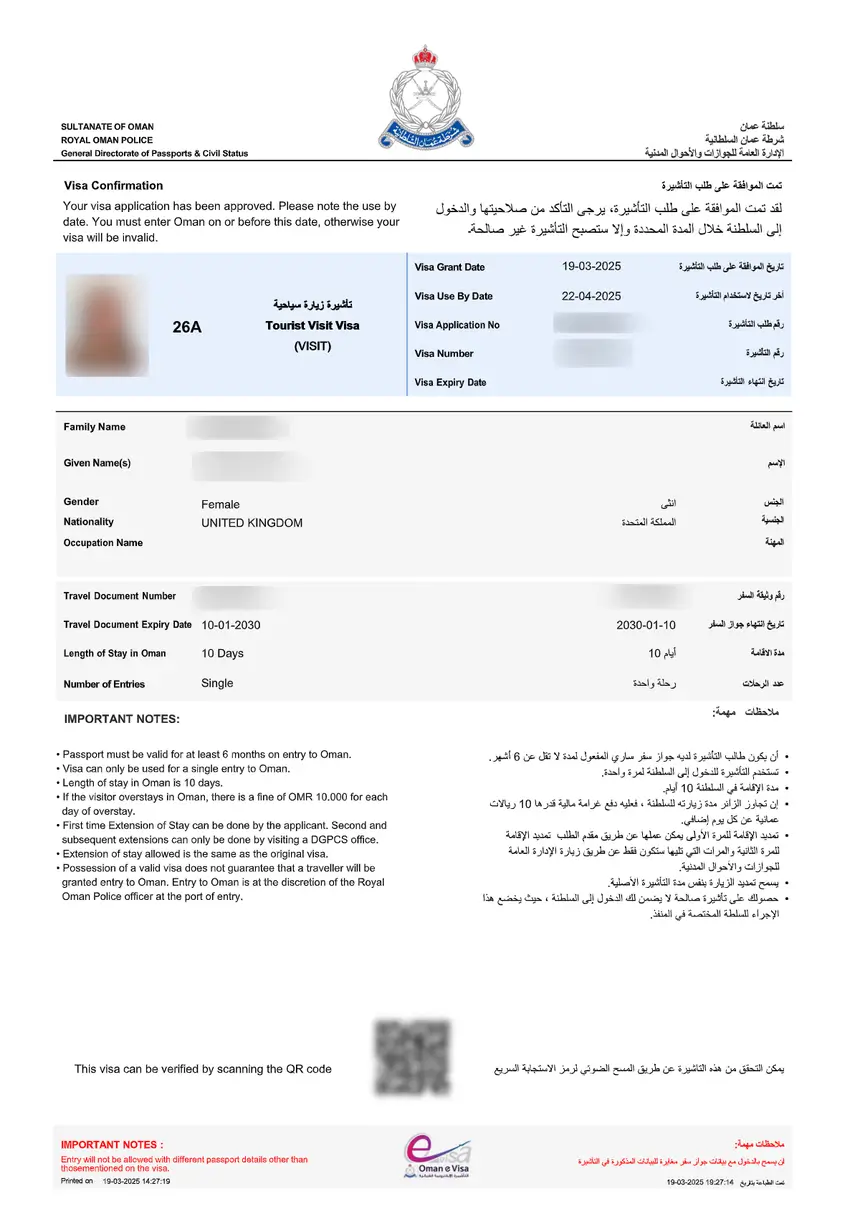
Once your Oman eVisa is approved, you will receive an email notification with a downloadable PDF confirmation. This document contains your visa reference number, personal details, visa type, and validity dates.
After receiving your approved eVisa:
- Download the PDF and save it to your phone and cloud storage
- Print a physical copy as a backup for airline check-in
- Verify all details match your passport (name, passport number, dates)
- If any detail is incorrect, contact eVisa support immediately
- Note the visa validity period and plan your travel within that window
The approved eVisa does not guarantee entry – the final decision rests with the immigration officer at the port of entry. However, having a pre-approved visa significantly reduces the chance of any issues at the border.